

Understanding Binary Conversion Made Simple
🔢 Learn binary conversion basics, methods, and tools with examples. Understand its role in computing and tackle common challenges easily! 💻
Edited By
Sophie Wilson
Binary data forms the backbone of modern digital communication. At its core, binary consists of only two digits: 0 and 1. These bits combine in sequences to represent various types of information, including text. Understanding how these simple zeros and ones convert into readable text helps traders, educators, programmers, and financial analysts appreciate the underpinnings of data processing.
Converting binary to text requires recognising the encoding scheme used. The most common method is ASCII (American Standard Code for Information Interchange), which maps 7 or 8-bit binary numbers to characters such as letters, digits, and symbols. For instance, the binary 01000001 stands for the letter A. Extended versions like UTF-8 include support for multilingual texts, allowing for broader characters.
The key to successful binary to text conversion lies in using the correct encoding method and ensuring the binary sequence is correctly segmented.
Data readability: Computers handle data in binary, but humans work with text. Conversion bridges this gap.
Communication: Email, web pages, and SMS rely on these translations to display text messages properly.
Programming: Developers use conversion techniques to debug, encode, or encrypt data manually.
Financial software: Converts transaction data for readable reports.
Trading platforms: Represents market data in text form for user interfaces.
Educational tools: Teach computing basics using binary-text exercises.
ASCII: Basic English characters, straightforward and still widely used.
UTF-8: Supports international scripts like Urdu, Sindhi, and Punjabi, important for localised financial software.
Unicode: Covers most global languages, ensuring compatibility across Pakistan’s diverse population.
Conversion tools like command-line utilities, online converters, and programming libraries simplify this process. Yet, challenges like incorrect encoding, missing padding bits, or mixing encoding schemes can lead to errors or gibberish output.
Understanding these basics builds a strong foundation to explore more complex topics like encryption or data compression linked to binary data.
Understanding the basics of binary data and how text is represented in computers is essential for anyone dealing with data analysis, programming, or digital communication. At its core, all data inside a computer—be it a simple text message or a complex financial transaction—is stored as binary digits, or bits. Grasping these fundamentals helps traders, educators, and analysts alike to appreciate how digital information is processed and displayed.
The binary number system uses just two symbols: 0 and 1. This simplicity matches the physical design of digital electronics, which rely on electrical signals being either on or off. For example, a credit card transaction made via JazzCash or Easypaisa is translated into binary signals for the secure processing and verification of the transaction.
Computers don’t understand letters or numbers directly. Instead, they work with these binary patterns, which then get translated back into meaningful data through encoding standards. This fundamental approach allows devices like smartphones or ATMs to handle enormous amounts of data efficiently.
Use of binary in computing devices rests on reliability. Since electronics easily differentiate between two states (voltage presence or absence), they store and process information more robustly with binary. For instance, the stock trading software analysing market data in Karachi sends millions of binary-coded instructions every second to update stock prices accurately.
Moreover, binary representation reduces error chances in data transmission across networks. Whether sending a financial report via email or receiving SMS alerts, computers convert text and numbers into binary to ensure clear and consistent communication.
Character encoding concepts allow computers to map binary numbers to characters—letters, digits, or symbols that humans use. Without an agreed system, a string of binary digits might be displayed as gibberish. This is critical for software used in Pakistan’s financial sectors or educational platforms, where precise text representation affects usability.
Take the example of converting the Urdu word "کتاب" (book) into its digital form: each character is assigned a specific binary code using character encoding. This process enables computers to display or print the correct text.
ASCII and extended ASCII basics represent one of the earliest and most widely used encoding standards. ASCII assigns numbers to 128 characters, including English alphabets, digits, and common punctuation. For example, the letter 'A' is represented as 65 in decimal or 01000001 in binary.
Extended ASCII expands this to 256 characters, adding symbols and accented letters useful for global languages. However, its limited coverage makes it less suitable for non-English scripts often found in Pakistan. Still, understanding ASCII is valuable for traders working with legacy data or financial software that relies on this basic standard.
Overall, knowing how binary and text intertwine empowers professionals in Pakistan’s financial and educational sectors to handle data conversion and troubleshooting more effectively.
Character encoding is the backbone that makes binary data understandable as human-readable text. Without proper encoding standards, the conversion from binary to text would be chaotic, resulting in gibberish or unreadable symbols. Traders, analysts, and educators alike rely on consistent encoding to ensure that information flows correctly, especially when dealing with data transmitted across different systems or stored in databases.
These standards define how bits (0s and 1s) map to characters such as letters, digits, and symbols. Two widely used encoding methods are ASCII and Unicode, each serving different needs and scopes. Understanding their structure and limitations helps in selecting the right approach for your projects, whether it's software development, data analysis, or educational content.
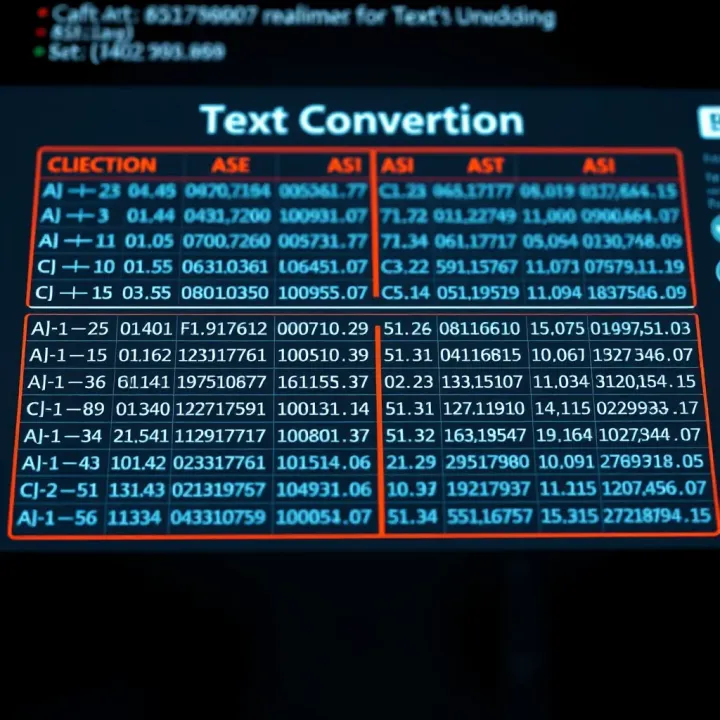
ASCII (American Standard Code for Information Interchange) uses a 7-bit encoding scheme, meaning it utilises seven binary digits to represent each character. This setup can encode 128 distinct symbols, which include English alphabets (both uppercase and lowercase), digits from 0 to 9, punctuation marks, and some control characters. Each character, therefore, corresponds to one byte with the highest bit set to zero.
This simplicity allowed widespread adoption in early computing systems. For example, when you type a message in your text editor, each letter’s binary form usually matches an ASCII value. This brevity makes ASCII efficient for systems that deal primarily with standard English text, such as simple data files or command-line interfaces.
However, ASCII’s 128-character limit means it cannot represent accented letters or symbols common in many Pakistani languages, such as Urdu or Sindhi script. This becomes a real issue when handling emails, web pages, or documents demanding diverse character sets. Also, ASCII misses out on emojis and special punctuation, now common in digital communication.
Because of these restrictions, ASCII is mainly useful for legacy systems or applications where plain English text suffices. In financial trading software or basic report generation, ASCII often works well, provided the content doesn’t require multilingual support or special symbols.
Unicode is the character encoding standard designed to cover nearly all written languages worldwide, including complex scripts like Arabic, which Urdu is derived from. It avoids the limitations of ASCII by assigning a unique code point to over 143,000 characters, covering alphabets, symbols, emojis, and more.
For Pakistani users, Unicode ensures that text in Urdu, Punjabi, or Pashto displays correctly across devices and platforms. Without Unicode, such texts might appear as question marks or boxes, causing confusion especially in official documents or educational materials.
UTF-8 is a popular Unicode encoding format that uses one to four bytes per character, optimising storage for texts primarily in English (which fits into one byte). It is backward-compatible with ASCII because ASCII characters are encoded in the same single byte.
This flexibility means that UTF-8 handles both English text and multilingual content efficiently. For example, a trader analysing reports in English and Urdu can rely on UTF-8 without switching encoding schemes. Modern websites, software, and databases in Pakistan commonly use UTF-8, making it the default choice for most applications. It also helps in reducing data transfer size when compared to fixed-length Unicode formats, which is beneficial in bandwidth-sensitive environments.
Proper understanding of encoding standards like ASCII and Unicode is key to seamless binary to text conversion, especially in our multi-lingual, digitally connected world.
By being aware of these standards, you can avoid common pitfalls like misinterpreted characters and ensure your data communicates clearly, whether in spreadsheets, code, or digital reports.
Understanding how binary data translates into readable text can greatly help in programming, data analysis, and communication troubleshooting. This step-by-step guide breaks down the conversion process so you can grasp the mechanics behind the scenes and apply it practically, whether you're debugging code or examining encoded messages.
Binary data consists of a series of 0s and 1s. To make sense of these, we first group the digits into sets of eight, called bytes. Each byte represents a single unit of data, typically corresponding to one character. For example, the binary string 01001000 01100101 groups into two bytes: 01001000 and 01100101.
Breaking down a long binary sequence into bytes simplifies the conversion. It allows you to work with manageable chunks instead of a continuous stream of bits. This step is essential because computers recognise 8-bit chunks and not individual bits when interpreting characters.
Once you have your bytes, the next step is to map each to a character using a character encoding standard like ASCII or Unicode. For instance, the byte 01001000 corresponds to the letter 'H' in ASCII. Similarly, 01100101 maps to 'e'.
Manual mapping involves converting the binary number of each byte into its decimal equivalent and then finding the matching character. So, 01001000 converts to decimal 72, which is 'H'. This method is useful when you want to understand the process deeply or when automated tools are unavailable.
Several websites offer free binary to text conversion services. These tools typically allow you to paste a binary string, and they instantly provide the decoded text. For example, sites like RapidTables or Browserling provide quick results.
These platforms are handy for traders or financial analysts needing to decode data files or communications without wasting time on manual calculations.
Automated converters reduce errors that creep in during manual conversion, especially with long binary strings. They handle various encoding formats, including UTF-8 and extended ASCII, saving you from complex manual lookup tables.
Plus, these tools often come with batch processing features, which means you can convert multiple binary strings simultaneously—a big time saver in professional settings like data analysis or software debugging.
Whether you opt for manual conversion to sharpen your understanding or use online tools for speed, knowing how binary translates into text ensures you can navigate digital data confidently and accurately.
Binary to text conversion plays a significant role in both software development and data communication fields. Understanding how this conversion works helps in accurate data interpretation and smooth functioning of various systems.
Debugging and data inspection involves examining raw binary data to identify issues in software programmes. When developers encounter errors or unexpected behaviour, converting binary outputs into readable text can reveal what the system is actually processing. For example, if a developer gets a stream of unexpected binary values while debugging a network application, converting those values can show the actual commands or messages sent by the client. This makes troubleshooting faster and more precise.
Handling file encoding is critical because files often store text in different binary encoding formats like ASCII, UTF-8, or UTF-16. Without proper conversion, text may appear as gibberish, especially when moving files across platforms or applications. Programmers must ensure that the encoding standard used for saving a file matches the decoding process during reading. In Pakistan’s software firms, this is common when dealing with internationalisation, where Urdu text encoding requires Unicode support rather than ASCII, making correct binary to text conversion vital.
Transmission of data packets depends heavily on converting text into binary for sending through networks and then back into text for the receiver. Each data packet contains binary-coded information representing commands, messages, or files. When a financial analyst uses a trading platform like PSX online portals from Karachi or Lahore, the binary data transmitting stock quotes must convert back into text for readability. Any error in this binary-to-text conversion could cause wrong data display, affecting trading decisions.
Text storage in databases utilises binary forms internally but allows users to interact with readable text. In Pakistani businesses storing customer details, invoices, or product lists, the database engine converts text inputs into binary for efficient storage and retrieval. Whether the system uses SQL Server, MySQL, or Oracle, proper encoding and decoding keep the textual data intact. This practical application ensures that reports, invoices, and communications appear correct when generated, avoiding costly misunderstandings or compliance issues.
Accurate binary to text conversion underpins reliable software operation and smooth data exchange, both crucial for financial systems, business databases, and network communications in Pakistan.
By understanding these practical applications, you ensure your systems handle data efficiently and present it clearly to users, avoiding costly errors and improving user trust.
Converting binary data into readable text is not always straightforward. Several challenges can arise during this process, often leading to incorrect or confusing output. Understanding these common errors helps traders, investors, financial analysts, brokers, and educators avoid pitfalls especially when handling data feeds, reports, or software logs that use binary encodings.
One frequent problem is assuming an incorrect character encoding while converting binary to text. For instance, if binary data is actually encoded in UTF-8 but the converter treats it as ASCII, multibyte characters may be misread or lost. This often happens when files from different systems or sources are merged without checking encoding first. Such mistakes make text appear garbled or display nonsense symbols instead of meaningful content.
In Pakistan's financial sector, where diverse software systems interconnect, this error can disrupt data analysis or automated reporting. For example, a stock market feed encoded in UTF-8 might display unexpected characters on a system assuming ASCII, leading to misinterpretation of stock names or transaction notes.
When encoding assumptions go wrong, the immediate consequence is that displayed text becomes unreadable or incorrect. Characters might be replaced with question marks, boxes, or entirely different symbols. This not only hampers readability but can also affect automated processes that rely on exact text matching or parsing.
Consider a brokerage software that receives client details encoded differently than expected. Instead of "KARACHI", it might show "KÃRACHI" or some strange code. This causes issues in customer records or alerts, potentially affecting client relations or compliance reporting.
Binary data often includes non-printable control characters like newline, tab, or carriage return. These characters don't represent visible symbols but control text formatting or device behaviour. When misinterpreted during conversion, they can cause erratic text flow or invisible breaks that confuse users or software.
For example, strange spacing or abrupt line breaks in a financial report can stem from such invisible control characters. Traders reviewing CSV exports might find data columns misaligned if the non-printable characters are not handled properly during binary-to-text translation.
Unicode supports thousands of characters from various languages, including accents, symbols, and emojis. Their encoding can span multiple bytes, making conversion tricky if the tool or method doesn’t support full Unicode standards.
In Pakistan’s diverse linguistic environment, documents may include Urdu, Sindhi, or Pashto characters. Without proper Unicode handling, these scripts may display incorrectly. Moreover, common financial symbols like the rupee sign (Rs) may get lost or replaced with placeholders, complicating financial communications or digital transactions.
To avoid these challenges, always verify the encoding standard before conversion, use tools with robust Unicode support, and test outputs, especially when working with multilingual or special character-rich data.
By understanding these challenges, professionals can ensure clearer data communication and avoid costly misunderstandings in their numerical or textual data streams.
🔢 Learn binary conversion basics, methods, and tools with examples. Understand its role in computing and tackle common challenges easily! 💻
Learn how to convert Binary-Coded Decimal (BCD) to binary numbers step-by-step with clear examples and tips 🧮 Perfect for students and tech enthusiasts in Pakistan!

Learn how to convert decimal to binary & back with easy steps 🧮. Understand binary’s role in computing 💻 and real-world uses in this practical guide!

🔍 Explore binary classification in machine learning—key concepts, popular algorithms, evaluating models, and practical uses across real-world scenarios.
Based on 14 reviews